Your First Contribution
This page walks through a complete contribution, from fork to pull request. For API design, code style, documentation and testing rules, see the Development guide.
⚠️ You must sign the Contributor License Agreement (CLA). The
cla-assistantGitHub bot asks you to sign it when you open your first pull request, and we can only review and merge pull requests from contributors who have signed.💡 Contribute from a personal fork. GitHub does not let maintainers push to a pull request branch that lives in an organization-owned fork, so we could not fix a small issue or rebase for you. Keep Allow edits by maintainers enabled on your pull request.
How to contribute changes
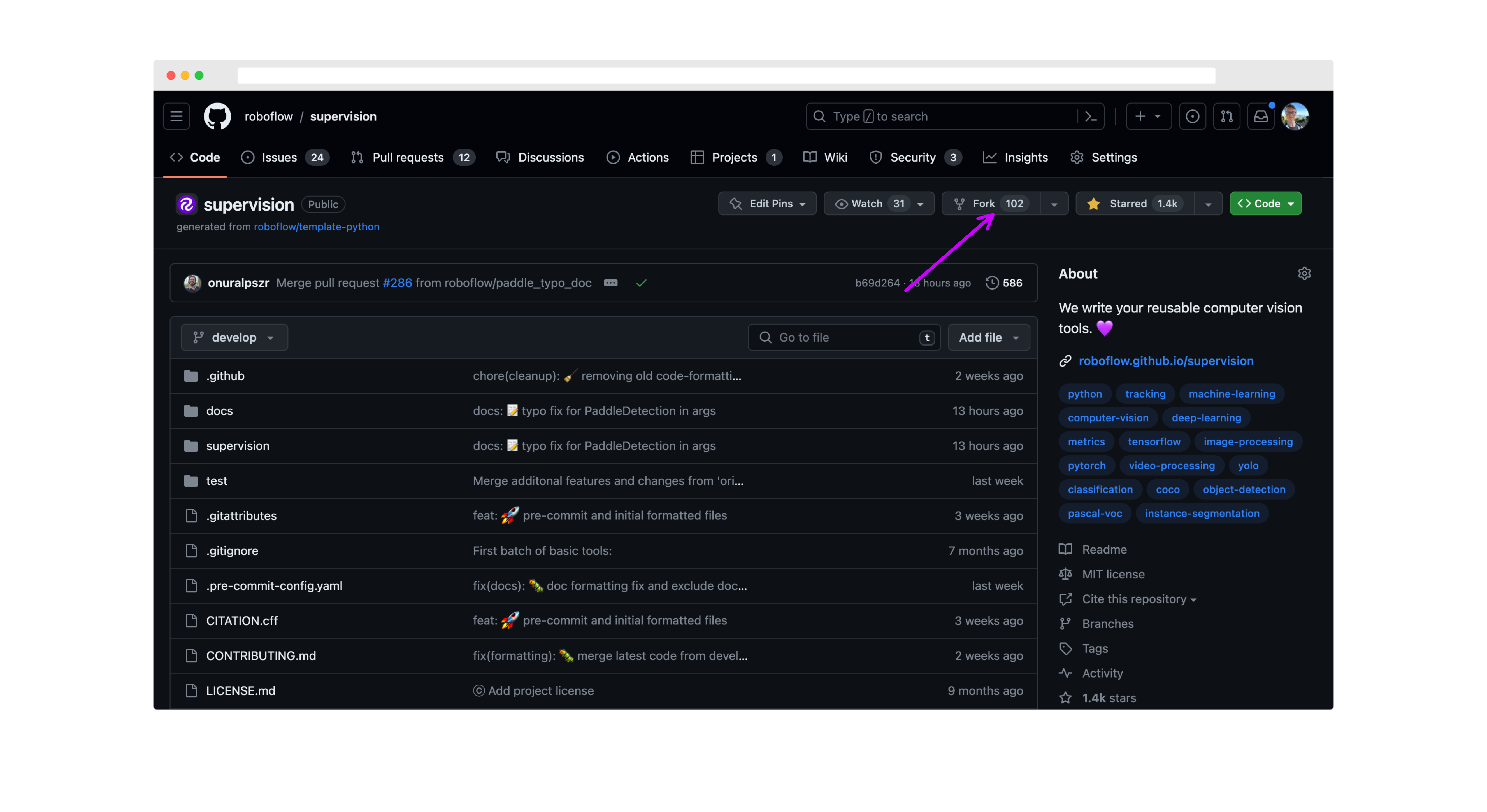
1. Fork the repository
Fork roboflow/supervision into your personal GitHub account (click "Fork" in the top corner of the repository). Avoid organization-owned forks: maintainers cannot push to their pull request branches, which makes small fixes and rebases slower for everyone.
2. Clone and set up the upstream remote
A shallow clone of develop is enough for most contributions:
git clone --depth 1 -b develop https://github.com/YOUR_USERNAME/supervision.git
cd supervision
git remote add -t develop upstream https://github.com/roboflow/supervision.git
git fetch upstream
Replace YOUR_USERNAME with your GitHub username. Drop --depth 1 if you need the full history.
3. Install the project
Install uv, then install the project with the development and documentation dependencies and verify the setup:
4. Create a branch
Branch from upstream/develop, with a prefix that describes the change:
feat/: new features (for examplefeat/line-counter)fix/: bug fixes (for examplefix/memory-leak)docs/: documentation changes (for exampledocs/update-readme)chore/: maintenance or tooling changes (for examplechore/update-dependencies)test/: adding or modifying tests (for exampletest/add-unit-tests)refactor/: code refactoring without behavior changes (for examplerefactor/simplify-algorithm)
5. Make the change and check it
When you add a new function, include:
- Docstrings for the function and all parameters.
- Unit tests for the function.
- A usage example in the documentation.
- An entry in the docs so the API reference is generated.
- A Google Colab with minimal code that tests the feature or reproduces the bug, whenever possible. Make sure it opens without any access restrictions.
Before you commit, run the checks locally:
6. Commit and push
Stage the files you changed and use a conventional commit message, <type>[optional scope]: <description>:
git add <changed files>
git commit -m "feat: add line counter functionality"
git push -u origin <prefix>/<short-description>
Common types:
feat: a new featurefix: a bug fixdocs: documentation only changesstyle: changes that do not affect the meaning of the code (white-space, formatting, etc)refactor: a code change that neither fixes a bug nor adds a featureperf: a code change that improves performancetest: adding missing tests or correcting existing testschore: changes to the build process or auxiliary tools and libraries
7. Open the pull request
Go to your fork on GitHub, click "Pull requests", then "New pull request". Set the base branch to develop, fill in the description template, and create the pull request.
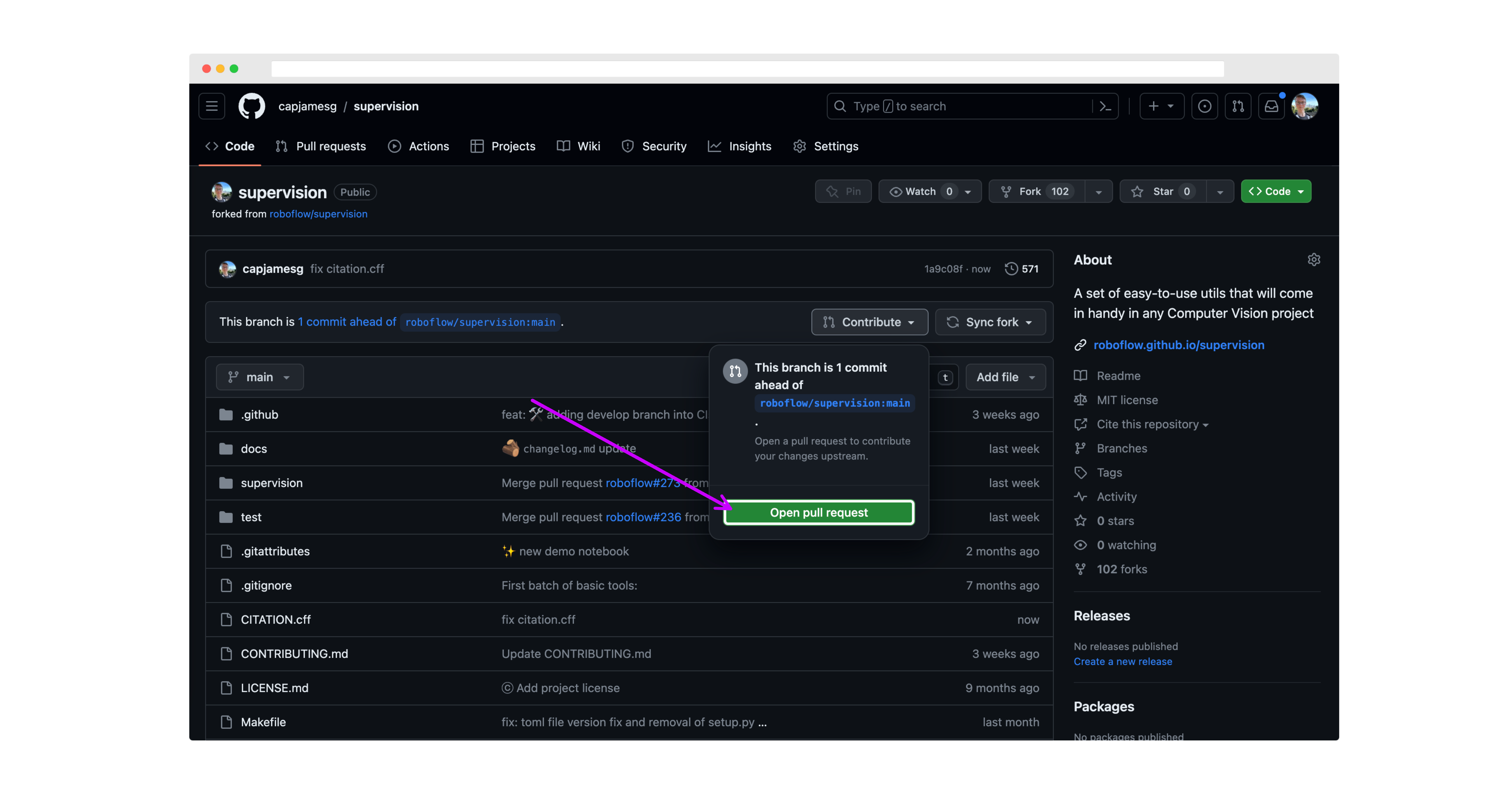
Then:
- Sign the CLA when the bot asks.
- Keep Allow edits by maintainers enabled.
- Wait for CI. All tests and linting checks must pass before a pull request can be merged.
A maintainer reviews every pull request, gives feedback and may ask for changes.