Image Utils
supervision.utils.image.crop_image(image: ImageType, xyxy: npt.NDArray[int] | list[int] | tuple[int, int, int, int]) -> ImageType

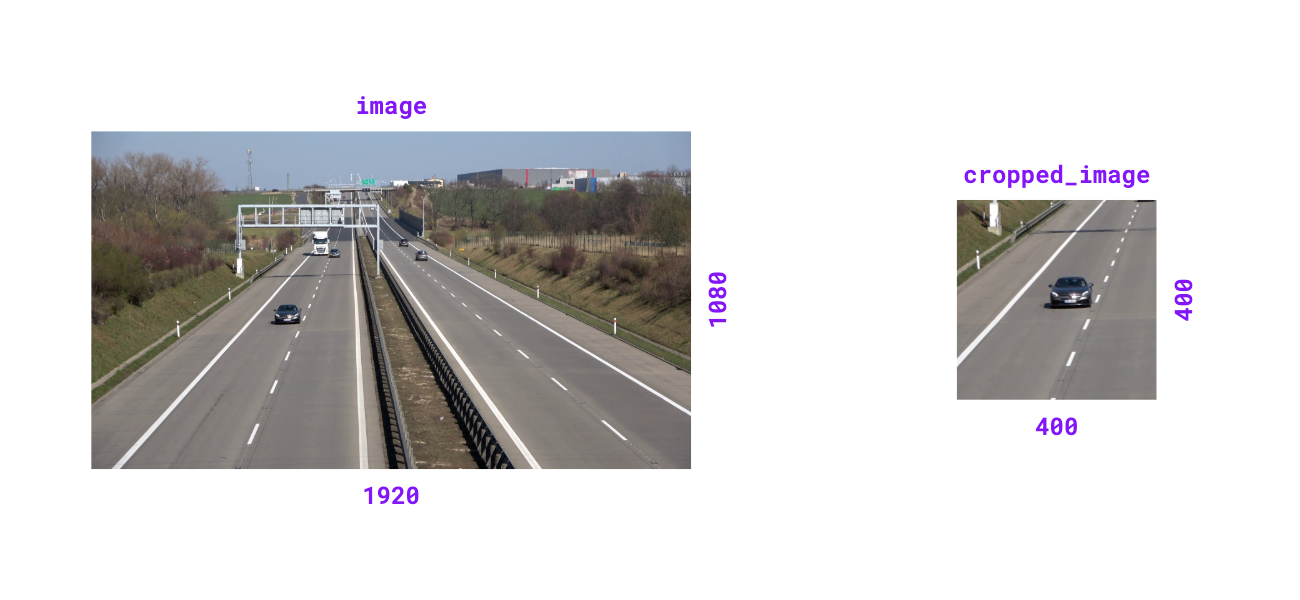
Crop image based on bounding box coordinates.
Parameters:
| Name | Type | Description | Default |
|---|---|---|---|
|
ImageType
|
The image to crop. |
required |
|
NDArray[int] | list[int] | tuple[int, int, int, int]
|
Bounding box coordinates in |
required |
Returns:
| Type | Description |
|---|---|
ImageType
|
Cropped image matching input type. |
Examples:
>>> import numpy as np
>>> import supervision as sv
>>> image = np.zeros((1080, 1920, 3), dtype=np.uint8)
>>> image.shape
(1080, 1920, 3)
>>> xyxy = (400, 400, 800, 800)
>>> cropped_image = sv.crop_image(image=image, xyxy=xyxy)
>>> cropped_image.shape
(400, 400, 3)
>>> image = np.zeros((1920, 1080), dtype=np.uint8)
>>> image.shape
(1920, 1080)
>>> xyxy = (400, 400, 800, 800)
>>> cropped_image = sv.crop_image(image=image, xyxy=xyxy)
>>> cropped_image.shape
(400, 400)
Source code in src/supervision/utils/image.py
supervision.utils.image.scale_image(image: ImageType, scale_factor: float) -> ImageType

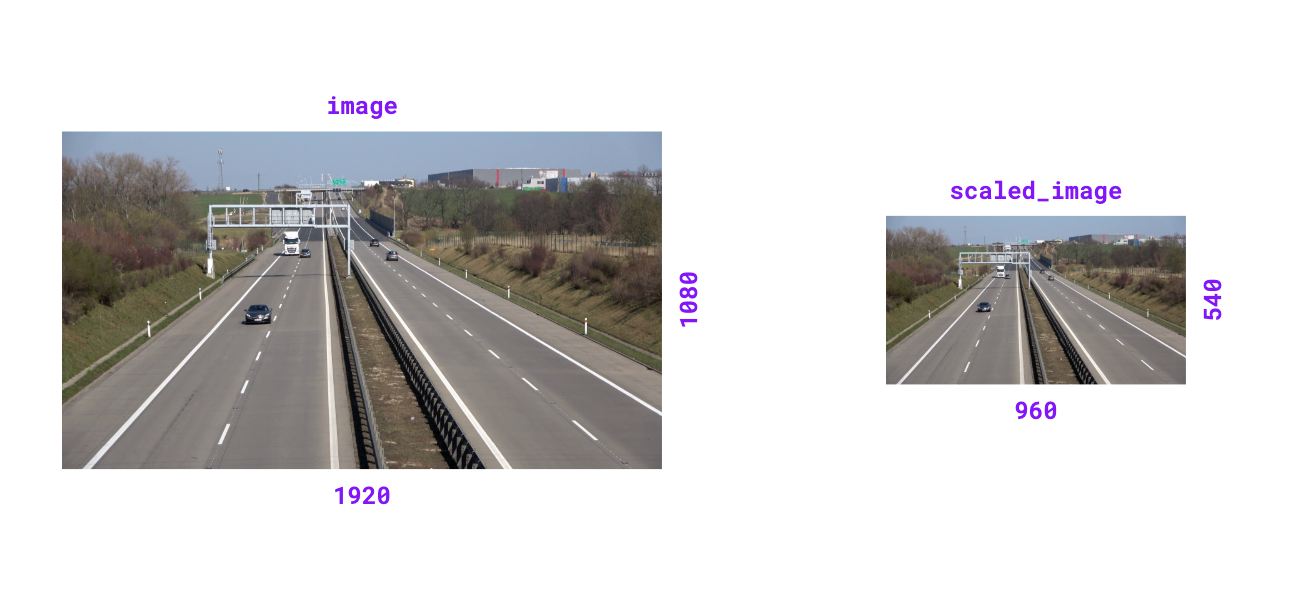
Scale image by given factor. Scale factor > 1.0 zooms in, < 1.0 zooms out.
Parameters:
| Name | Type | Description | Default |
|---|---|---|---|
|
ImageType
|
The image to scale. |
required |
|
float
|
Factor by which to scale the image. |
required |
Returns:
| Type | Description |
|---|---|
ImageType
|
Scaled image matching input type. |
Raises:
| Type | Description |
|---|---|
ValueError
|
If scale factor is non-positive. |
Examples:
>>> import numpy as np
>>> import supervision as sv
>>> image = np.zeros((1080, 1920, 3), dtype=np.uint8)
>>> image.shape
(1080, 1920, 3)
>>> scaled_image = sv.scale_image(image=image, scale_factor=0.5)
>>> scaled_image.shape
(540, 960, 3)
>>> image = np.zeros((1920, 1080), dtype=np.uint8)
>>> image.shape
(1920, 1080)
>>> scaled_image = sv.scale_image(image=image, scale_factor=0.5)
>>> scaled_image.shape
(960, 540)
Source code in src/supervision/utils/image.py
supervision.utils.image.resize_image(image: ImageType, resolution_wh: tuple[int, int], keep_aspect_ratio: bool = False) -> ImageType

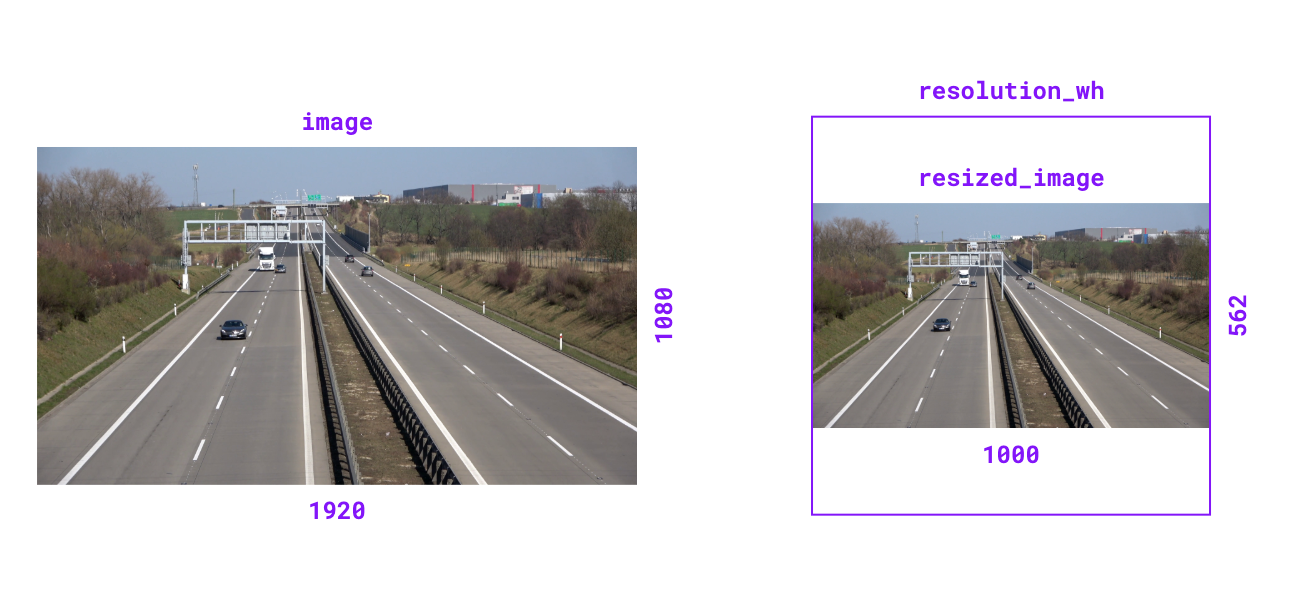
Resize image to specified resolution. Can optionally maintain aspect ratio.
Parameters:
| Name | Type | Description | Default |
|---|---|---|---|
|
ImageType
|
The image to resize. |
required |
|
tuple[int, int]
|
Target resolution as |
required |
|
bool
|
Flag to maintain original aspect ratio.
Defaults to |
False
|
Returns:
| Type | Description |
|---|---|
ImageType
|
Resized image matching input type. |
Examples:
>>> import numpy as np
>>> import supervision as sv
>>> image = np.zeros((1080, 1920, 3), dtype=np.uint8)
>>> image.shape
(1080, 1920, 3)
>>> resized_image = sv.resize_image(
...     image=image, resolution_wh=(1000, 1000), keep_aspect_ratio=True
... )
>>> resized_image.shape
(562, 1000, 3)
>>> image = np.zeros((1920, 1080), dtype=np.uint8)
>>> image.shape
(1920, 1080)
>>> resized_image = sv.resize_image(
...     image=image, resolution_wh=(1000, 1000), keep_aspect_ratio=True
... )
>>> resized_image.shape
(1000, 562)
Source code in src/supervision/utils/image.py
supervision.utils.image.letterbox_image(image: ImageType, resolution_wh: tuple[int, int], color: tuple[int, int, int] | Color = Color.BLACK) -> ImageType

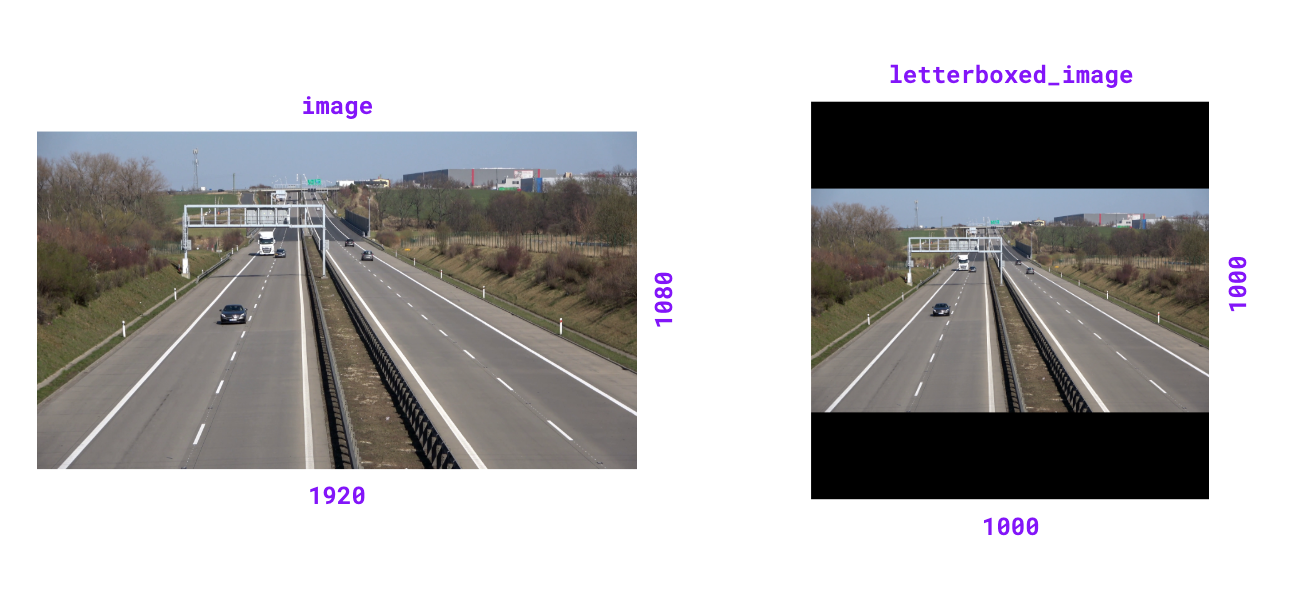
Resize image and pad with color to achieve desired resolution while maintaining aspect ratio.
Parameters:
| Name | Type | Description | Default |
|---|---|---|---|
|
ImageType
|
The image to resize and pad. |
required |
|
tuple[int, int]
|
Target resolution as |
required |
|
tuple[int, int, int] | Color
|
Padding color. If tuple, should
be in BGR format. Defaults to |
BLACK
|
Returns:
| Type | Description |
|---|---|
ImageType
|
Letterboxed image matching input type. |
Examples:
>>> import numpy as np
>>> import supervision as sv
>>> image = np.zeros((1080, 1920, 3), dtype=np.uint8)
>>> image.shape
(1080, 1920, 3)
>>> letterboxed_image = sv.letterbox_image(
...     image=image, resolution_wh=(1000, 1000)
... )
>>> letterboxed_image.shape
(1000, 1000, 3)
Source code in src/supervision/utils/image.py
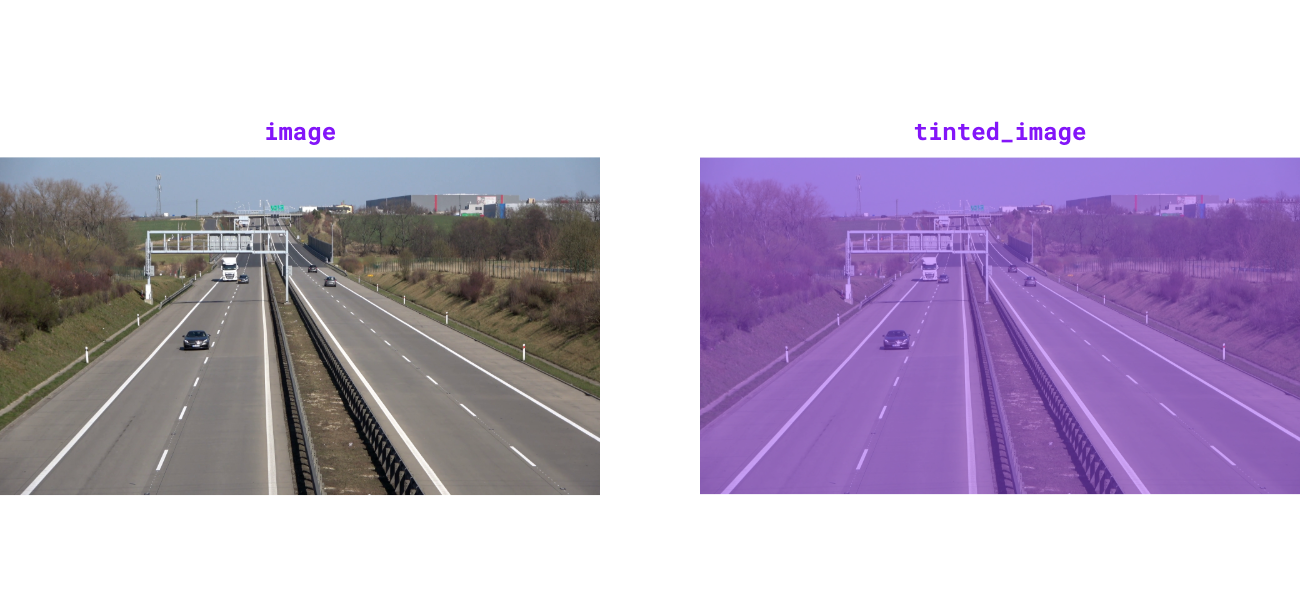
supervision.utils.image.tint_image(image: ImageType, color: Color = Color.BLACK, opacity: float = 0.5) -> ImageType

Tint image with solid color overlay at specified opacity.
Parameters:
| Name | Type | Description | Default |
|---|---|---|---|
|
ImageType
|
The image to tint. |
required |
|
Color
|
Overlay tint color. Defaults to |
BLACK
|
|
float
|
Blend ratio between overlay and image (0.0-1.0).
Defaults to |
0.5
|
Returns:
| Type | Description |
|---|---|
ImageType
|
Tinted image matching input type. |
Raises:
| Type | Description |
|---|---|
ValueError
|
If opacity is outside range [0.0, 1.0]. |
Examples:
>>> import numpy as np
>>> import supervision as sv
>>> image = np.zeros((100, 100, 3), dtype=np.uint8)
>>> tinted_image = sv.tint_image(
...     image=image, color=sv.Color.ROBOFLOW, opacity=0.5
... )
>>> tinted_image.shape
(100, 100, 3)
Source code in src/supervision/utils/image.py
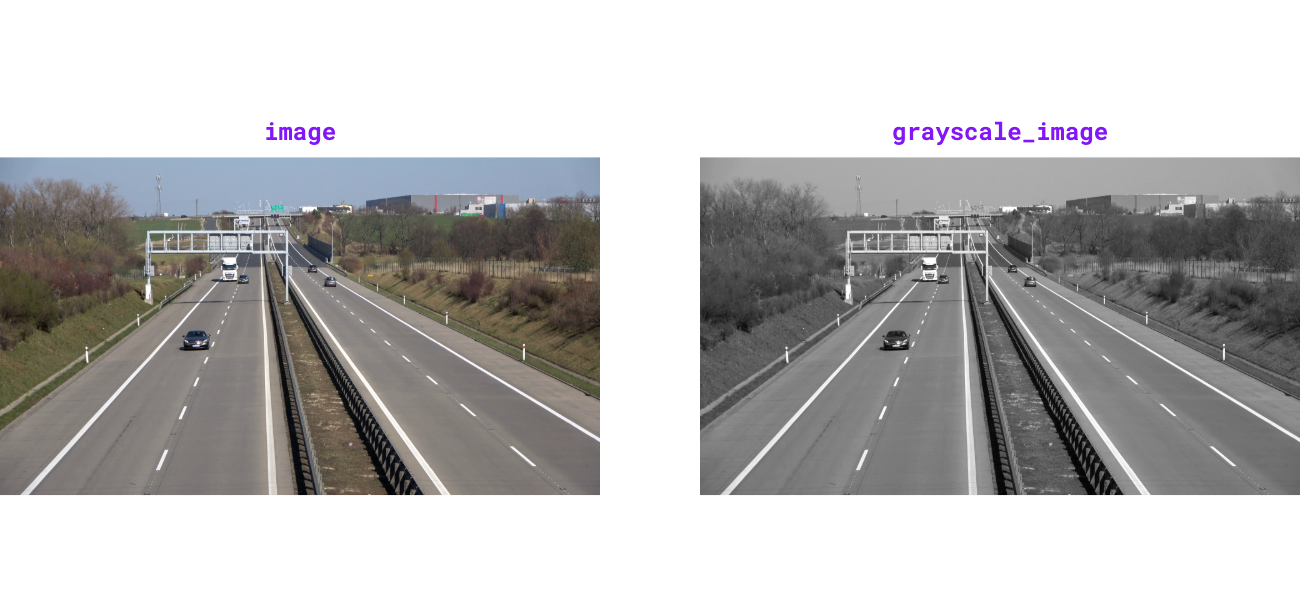
supervision.utils.image.grayscale_image(image: ImageType) -> ImageType

Convert image to 3-channel grayscale. Luminance channel is broadcast to all three channels for compatibility with color-based drawing helpers.
Parameters:
| Name | Type | Description | Default |
|---|---|---|---|
|
ImageType
|
The image to convert to grayscale. |
required |
Returns:
| Type | Description |
|---|---|
ImageType
|
3-channel grayscale image matching input type. |
Examples:
>>> import numpy as np
>>> import supervision as sv
>>> image = np.ones((100, 100, 3), dtype=np.uint8) * 128
>>> grayscale_image = sv.grayscale_image(image=image)
>>> grayscale_image.shape
(100, 100, 3)
Source code in src/supervision/utils/image.py
supervision.utils.image.get_image_resolution_wh(image: ImageType) -> tuple[int, int]

Get image width and height as a tuple (width, height) for various image formats.
Supports both numpy.ndarray images (with shape (H, W, ...)) and
PIL.Image.Image inputs.
Parameters:
| Name | Type | Description | Default |
|---|---|---|---|
|
ImageType
|
Input image. |
required |
Returns:
| Type | Description |
|---|---|
tuple[int, int]
|
Image resolution as |
Raises:
| Type | Description |
|---|---|
ValueError
|
If a |
TypeError
|
If |
Examples:
>>> import numpy as np
>>> import supervision as sv
>>> image = np.zeros((1080, 1920, 3), dtype=np.uint8)
>>> sv.get_image_resolution_wh(image)
(1920, 1080)
Source code in src/supervision/utils/image.py
supervision.utils.image.ImageSink

Source code in src/supervision/utils/image.py
461 462 463 464 465 466 467 468 469 470 471 472 473 474 475 476 477 478 479 480 481 482 483 484 485 486 487 488 489 490 491 492 493 494 495 496 497 498 499 500 501 502 503 504 505 506 507 508 509 510 511 512 513 514 515 516 517 518 519 520 521 522 523 524 525 526 527 528 529 530 531 532 533 534 535 536 537 | |
Functions
__init__(target_dir_path: str, overwrite: bool = False, image_name_pattern: str = 'image_{:05d}.png')

Initialize context manager for saving images to directory.
Parameters:
| Name | Type | Description | Default |
|---|---|---|---|
|
str
|
Target directory path where images will be saved. |
required |
|
bool
|
Whether to overwrite existing directory.
Defaults to |
False
|
|
str
|
File name pattern for saved images.
Defaults to |
'image_{:05d}.png'
|
Examples:
>>> import numpy as np
>>> import supervision as sv
>>> import tempfile
>>> import os
>>> with tempfile.TemporaryDirectory() as tmpdir:
...     image = np.zeros((100, 100, 3), dtype=np.uint8)
...     with sv.ImageSink(target_dir_path=tmpdir, overwrite=True) as sink:
...         sink.save_image(image=image)
...         sink.save_image(image=image)
...     files = sorted(os.listdir(tmpdir))
...     len(files)
2
Source code in src/supervision/utils/image.py
save_image(image: npt.NDArray[np.uint8], image_name: str | None = None) -> None

Save image to target directory with optional custom filename.
Parameters:
| Name | Type | Description | Default |
|---|---|---|---|
|
NDArray[uint8]
|
Image to save with shape |
required |
|
str | None
|
Custom filename for saved image. If
|
None
|